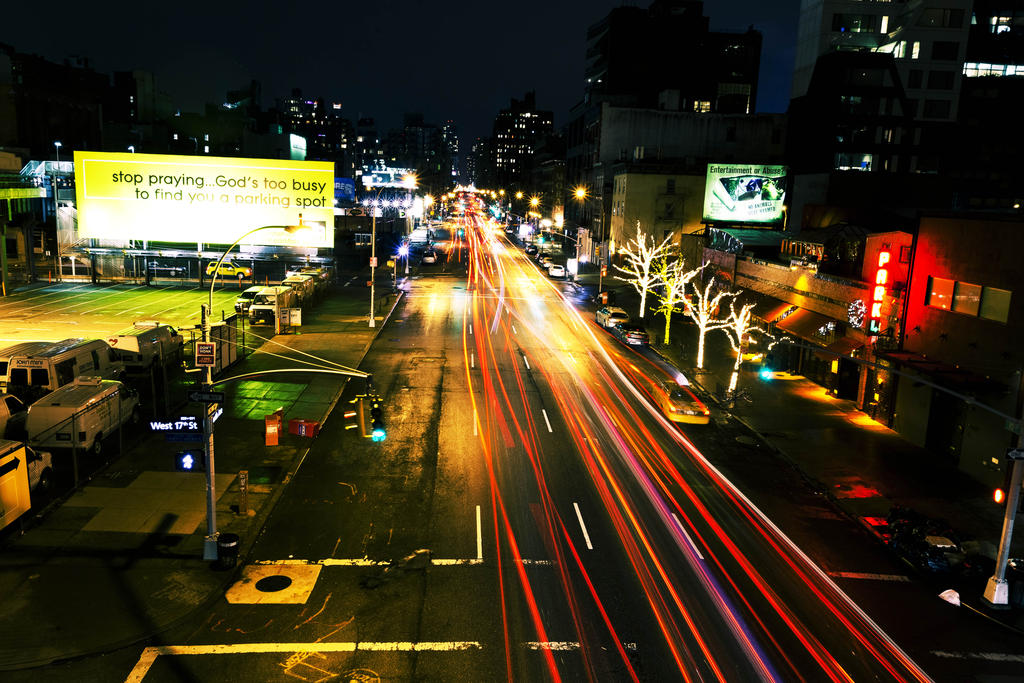
Shutter speed is one of three ways to adjust exposure level. It’s also the most direct way to control how sharply your camera captures moving objects. Or, to intentionally blur motion.
Among the “modes” your camera supports, either Tv or S should stand for ”Shutter Priority” This lets you pick a specific shutter speed while the camera adjusts the two other settings (aperture and ISO) to maintain the set exposure level.
How you adjust the shutter speed should be similar to how you adjusted the exposure compensation: some kind of dial or menu. It varies for each camera.
Shutter should be priority when action needs to be captured
Compensation
We saw in the last chapter how a high shutter speed prevents blur.
But what’s the catch?
On a bright sunny day, there isn’t much of a catch. You can open and close the shutter at a rate of 1/4000th of a second and still have plenty of light.
But with low light conditions, your camera will have to adjust two other factors in order to keep the specified exposure.
How do I turn on shutter speed priority?
How does shutter speed priority differ from automatic mode?
What happens when I walk into a dark scene?
What happens when I walk into a bright scene?
Walking around
I chose to cover shutter priority mode as the first manual mode because it’s the easiest to deal with. In any given situation, you don’t want the shutter speed to fall below 1/50th of a second. Any slower and it’s hard to guarantee a clean shot.
Unless you’re trying to capture some motion blur, shutter speed is easy to manage.
You’ll see in the aperture-priority mode, the opposite case will happen. Shutter speed will be adjust to maintain a certain aperture. When you walk into a dark room, the shutter speed will be at a speed so slow that you’ll be unable to maintain it.